CYBERDIVA LABS

Zorka — your AI companion for everyday digital safety

Companies train their employees to spot scams. Nobody trains you. Zorka does.

Paste a text, email, call or DM. Zorka helps you spot the red flags and suggests a clear next step — in English or Russian. Guidance only. It cannot promise that something is safe.

Remove names, addresses and account numbers first. Never paste passwords, codes, card or bank numbers.

Don't upload photos of documents, cards or children.

Or pick a common situation below.

Before you paste anything

  • Remove names, addresses, phone numbers and other personal details.
  • Never paste passwords, one-time codes, card numbers or bank details.
  • Do not upload photos of IDs, bank letters or anything with account numbers.

Zorka is an AI tool. Its guidance can be wrong. It cannot confirm who someone is, prove that a message is real, or tell you that something is safe.

If you already shared a password, code or card number, contact your bank, your email provider or the service involved. Don’t wait for Zorka’s answer first.

See an example.

Illustrative example. This is not a real USPS message.

I got this text — is it real?

USPS: Your package is on hold. Pay a $1.99 redelivery fee: parcel-redelivery.example/track

ZORKA

This is very likely a scam.

Three red flags:

  1. The link is not usps.com.
  2. A tiny fee is a common trick to get your card number.
  3. It pushes you to act fast.

What to do: don’t click. Delete it. Already entered your card? Call your bank now — I’ll walk you through it.

You can send it to a parent, a partner or a group chat. Remove any personal details before you share.

Not sure where to start? Pick what happened.

These are the scams everyday people meet most often. Choose one, or paste your own message above.

Already clicked, paid or replied? Start with “I already clicked — now what?” Zorka can help you plan the next step. It cannot undo what happened or confirm that you are safe.

Three steps to check a message.

  1. Step 1Paste itPaste the message, upload a screenshot, or describe the call. Take out personal details first.
  2. Step 2Zorka checks itYou see the red flags explained in plain language — in English or Russian.
  3. Step 3Know what to doIgnore, block or report. Or get clear next steps if you already clicked, paid or replied.

Who built Zorka

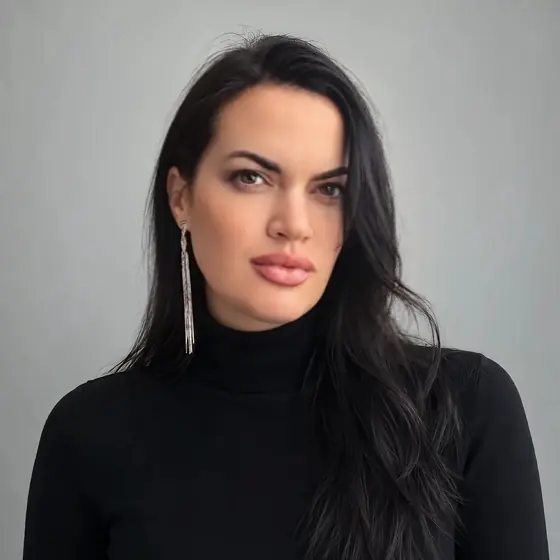
Photo of Alina Dounar, who built Zorka.

Hi, I’m Alina Dounar. By day I’m a cybersecurity IT auditor.

In my work I see the same thing again and again: people are often the weakest link, and the people who get no security training at work are the easiest targets for scammers.

So I started building Zorka, a friendly companion that is free during early access. It helps everyday people spot scams before they click, pay or reply.

I’m still learning and building Zorka step by step, and I share what I learn along the way.

If something is confusing, or Zorka gets something wrong, I’d love to hear from you: [email protected]

Zorka is part of CyberDiva Labs.

Guidance, not a guarantee.

What Zorka can do

  • Help you notice pressure, odd links, urgent fees and other warning signs.
  • Explain those signs in plain language, in English or Russian.
  • Suggest a safer next step — including what to do if you already clicked.

What Zorka cannot do

  • Confirm a person’s identity, or prove that a call, photo or message is real.
  • Promise that a message is safe, even if it finds no warning signs.
  • Undo a payment, recover an account, or contact a bank for you.

How to use the result

Treat Zorka’s answer as a starting point, not a final verdict. If nothing looks wrong, still verify through a channel you already trust — for example, the official app or a phone number you looked up yourself. No warning signs found does not mean “safe.”

Privacy, in short

  • Zorka does not ask you to create an account.
  • The text you send and any image you attach are passed to Anthropic so Zorka can write an answer. Images are not stored or logged.
  • Zorka does not sell your data.
  • Don’t paste passwords, card numbers or one-time codes.
Read the full privacy note

Privacy note

Last updated: November 25, 2026

This note says what the Zorka page and its API actually do with information. It is a plain description, not legal advice.

What you type

You paste or describe a message. You can also attach one JPEG, PNG or WebP photo or screenshot. This page resizes it in the browser before sending. Don't upload photos of documents, cards or children.

Do not paste passwords, one-time codes, card or bank numbers, or ID numbers. Before a message is sent, the page tries to hide some obvious secrets, and the API tries again. That check looks for common patterns. It can miss things. Do not rely on it.

No account

Zorka does not ask you to create an account. The weekly email form is on the page, but the button does nothing yet. An address you type there is not sent anywhere.

What is sent, and why

When you send a message, the page asks Cloudflare Turnstile to run a bot check. It then sends that result to Zorka’s API at companion-api.cyberdivalabs.com. The API asks Cloudflare to verify it. Cloudflare receives your IP address as part of that check.

The API sends your message, and earlier messages from the same open chat, to Anthropic (the company that makes Claude) so it can write Zorka’s answer. If you attach an image, that image is sent in the same request. The page also says whether you are using English or Russian. This site does not control how long Anthropic keeps that request. The API does not store the image and does not write it to logs.

If you use the step-by-step safety check and then ask Zorka to guide you, the answers you tapped are sent too. Those are choices from Zorka’s question list, not a place to type secrets.

What is stored

The API does not save the text of your chat or any image you attach. Its own logs do not include that text or the image. A log line can include an error name or a status code.

To limit how often one person can use Zorka, the API keeps, for that UTC day, a short hash of your IP mixed with a secret and the date (not the IP itself), a random session id, and counts of sessions and replies. The code asks for those counters to be deleted about 26 hours after the UTC day starts.

A session token stays in the page’s memory for about 45 minutes. It is not saved in browser storage. Reloading the page drops the chat.

This browser saves only your language, which plan steps you marked done, and which steps you hid. Those stay on this device until you clear the site’s data. They are not sent to the server.

Short practice exercises and explanations of terms come from Zorka’s own question library, not from your chat. A copy of those exercises can be kept for up to 24 hours so the next person can see the same one. Your chat is not put in that cache.

Zorka does not sell your information. The code has no step that sells it or shares it with advertisers.

Cookies

This page’s code does not set cookies. The site is hosted on Cloudflare, and the bot check is Cloudflare Turnstile. Those services may set their own cookies. This note cannot see Cloudflare’s account settings.

Contact

Questions: [email protected]
Get the scam of the week.

Once a week, I’ll send one real scam people are seeing, the red flags to watch for, and what to do. Short, plain and easy to share with family.

Zorka is in early access. More features and an app are coming.

No spam. You can unsubscribe at any time.

Signup isn’t open yet.

I’ll only use your email for this alert and occasional updates about Zorka. I won’t sell your address.

Zorka is in early access. Each person can send 5 messages a day.

Don't upload photos of documents, cards or children.

Don't share passwords, codes, recovery phrases, card or ID numbers, medical details or work documents. Obvious secrets are masked before sending.